

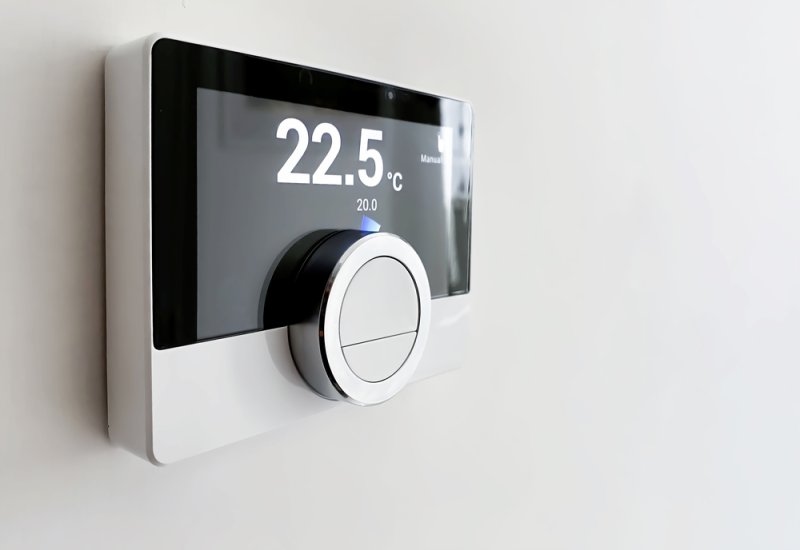
Shopping for a thermostat used to be simple. Now every brand claims theirs is the smartest one on the market, and honestly, that gets confusing fast. What you actually want is something dependable, quick to set up, and useful once the excitement of a new gadget wears off. Below, we'll walk through what really matters, how installation goes, and whether the upgrade is even worth your money.
There's no single "best" thermostat for every house, but the strongest options connect to your Wi-Fi and quietly learn your habits over a few weeks. They notice when you're usually home, how warm you like the living room, and adjust without you touching a dial. Nest, ecobee, and Honeywell keep showing up on top-rated lists, and that reputation is earned through solid app support and decent reviews across different climates.
People ask this a lot, and fair enough; it sounds more complicated than it is. A smart thermostat leans on sensors, your home Wi-Fi, and a companion app to figure out what you actually want. It watches when you come and go, how fast your house heats up or cools down, and slowly builds a schedule around that. Give it a couple of weeks, and it mostly runs itself, which is where the energy savings start showing up.
Sometimes a table just explains things faster than paragraphs can.
| Feature | Traditional Thermostat | Best Smart Thermostat |
| Remote Access | None | Full app and voice control |
| Learning Ability | You program it manually | Adapts on its own over time |
| Energy Reports | Not available | Monthly usage breakdowns |
| Installation | Simple wiring | Sometimes needs a C-wire adapter |
| Smart Home Sync | No | Works with Alexa, Google, HomeKit |
Figuring out how to install smart thermostats yourself isn't as scary as it looks, and it can save you a pricey service call. Most units just clip onto your existing wall plate once you've cut power at the breaker. Between the wiring and the app setup, plan for thirty to sixty minutes, maybe a little longer if you're doing it for the first time.
Do this before you even buy anything. Snap a quick photo of your current thermostat's wiring so you know what you're working with. A lot of smart models need a C-wire for constant power, though several brands throw in an adapter for older homes that don't have one. Checking early saves you a return trip to the store.
Every smart thermostat comes paired with its own app, and you'll set that up during install. It connects to your home Wi-Fi and asks for a few basic household details along the way. This is also the step that unlocks scheduling and remote access once everything's mounted.
Once it's on the wall, let it run through its default calibration first. For the first week, adjust the schedule to match how you actually live, not how you think you should live. After that, the system starts fine-tuning itself without much input from you.
A smart thermostat with remote control shouldn't just mean flipping it on or off from your phone. Look for real-time adjustments, flexible scheduling, and usage graphs that actually make sense at a glance. The better models also flag it if temperatures swing somewhere unsafe while nobody's home to notice.
A decent app lets you change the temperature instantly, no matter where you are. Some support multiple household members, so nobody's stuck being the only one who can adjust the thermostat. Simple, uncluttered apps tend to age better than the ones packed with flashy extras.
Working with Alexa, Google Assistant, or Siri sounds like a small thing until you're mid-cook and don't want to touch anything. You just ask, and it's done. Not every model supports every assistant, though, so double-check the listing before you buy.
Geofencing notices when your phone leaves a set area and adjusts things automatically. Occupancy sensors do something similar, just by picking up movement in the room itself. Between the two, you stop paying to heat or cool an empty house.
Landing on the best Wi-Fi thermostat really depends on your budget and whatever smart home setup you're already running. Ecobee tends to nail room sensor accuracy, Nest leans into sleek design and quick learning, and Honeywell holds up well in bigger, multi-zone homes. If you're already in the mood to upgrade a few smart devices around the house, our buying guide for the best fitness trackers touches on a lot of the same app-quality questions worth asking here too.
Entry-level Wi-Fi thermostats usually run under a hundred dollars and still cover remote scheduling just fine. They skip the fancier sensors, but for renters or smaller homes, that's rarely a dealbreaker.
The mid-tier models add room sensors, sharper displays, and app reports that actually tell you something useful. For most households, this is where price and long-term usefulness line up best.
Premium picks pile on extra sensors, smarter learning, and deeper smart home integration. They cost more going in, but over a few years, the energy savings tend to make up the difference.
So, are smart thermostats worth it, or is this just another gadget upsell? For most people, yes, especially anywhere the seasons actually change in a big way. Expect somewhere between ten and twenty percent in annual energy savings compared to a manual thermostat. Factor in the rebates a lot of utility companies still offer, and the upfront cost stops feeling like a stretch. And if efficiency gadgets are already your thing, take a look at our piece on smart garden systems, which run on a pretty similar app-connected idea.
At the end of the day, picking the best smart thermostat is about matching features to how you actually live, not chasing whatever has the most reviews. Think about your wiring, whatever smart home gear you already own, and how much control you actually want from your phone. Get that right, and you're looking at lower bills and a lot less manual fiddling for years to come.
Most people can install one themselves in under an hour with the included instructions. You'd only need a professional for unusual wiring setups or homes that don't already have a C-wire connection.
Yes, it'll still control temperature manually without internet. That said, remote access, scheduling, and the learning features only kick in once it's actually connected to Wi-Fi.
It varies by climate and household, but most people land somewhere between ten and twenty percent lower on energy bills. Your actual savings depend on habits, insulation, and local utility rates too.
For a single-zone HVAC system, one thermostat usually handles the whole house just fine. Bigger or multi-zone homes might need extra sensors or a second unit for even coverage.
A lot of them do, though it really depends on the manufacturer and your existing wiring. Always check your system's voltage and wiring type before buying, just to avoid headaches during install.
This content was created by AI